How to Download TikTok Thumbnails in HD (The Easy Way)
Need to save a high-quality TikTok thumbnail or cover image? Our free tool lets you download any TikTok thumbnail in full HD resolution, without a watermark.
A stunning thumbnail can make a TikTok video go viral, but the platform doesn’t offer a simple way to save that cover image. Whether you’re a content creator, a social media manager, or just want to archive a cool design, you need a way to grab that high-quality image.
Forget blurry screenshots that are cluttered with on-screen text and icons. This guide will show you how to use a free TikTok thumbnail downloader to save the original, high-resolution cover image from any video.
Table of Contents
- Why a High-Quality TikTok Thumbnail is Crucial
- How to Download Any TikTok Thumbnail in 3 Simple Steps
- Why Screenshots Don’t Work (And What to Do Instead)
- 3 Smart Ways to Use Downloaded TikTok Thumbnails
- Frequently Asked Questions (FAQ)
Why a High-Quality TikTok Thumbnail is Crucial
A thumbnail is your video’s first impression. A clean, HD version is a valuable asset for your content strategy. Here’s why creators and marketers download them:
- Repurposing Content: If you repost your TikToks to YouTube Shorts, Instagram Reels, or Pinterest, you need a high-quality thumbnail to attract viewers on those platforms. A screenshot just won’t cut it.
- Design Inspiration: Save thumbnails from viral videos to create a “swipe file.” Analyze what works—from text placement and color schemes to facial expressions—to improve your own creative strategy.
- Consistent Branding: Ensure your branding is consistent across all social media platforms by using the same high-quality cover image everywhere you share your video.
- Archiving: Keep a high-resolution archive of your best-performing video covers for your portfolio or future reference.
How to Download Any TikTok Thumbnail in 3 Simple Steps
We built our Thumbnail Grabber tool to make this process instant and easy.
Step 1: Copy the TikTok Video Link
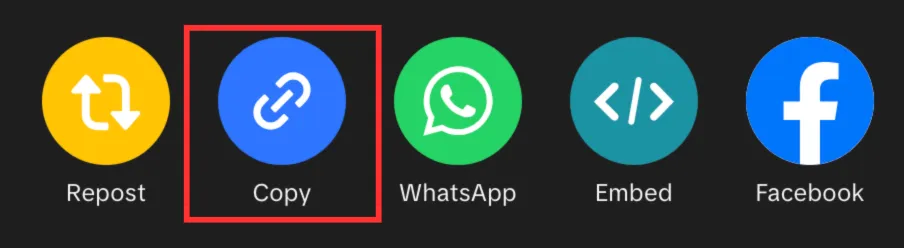
Open the TikTok app or website, find the video you want, and tap the Share button. Then, select Copy Link.
Step 2: Paste the Link into the Downloader
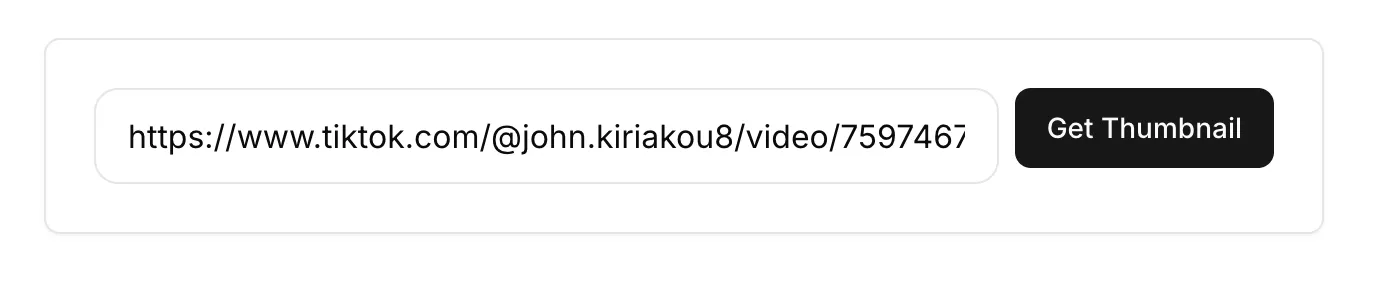
Navigate to the MediaTools Thumbnail Grabber. Paste the URL you copied into the input box.
Step 3: Download the HD Thumbnail
Click “Get Thumbnail.” The tool will instantly extract the cover image in all available resolutions. For the best quality, always choose the Max / HD option and click Download.
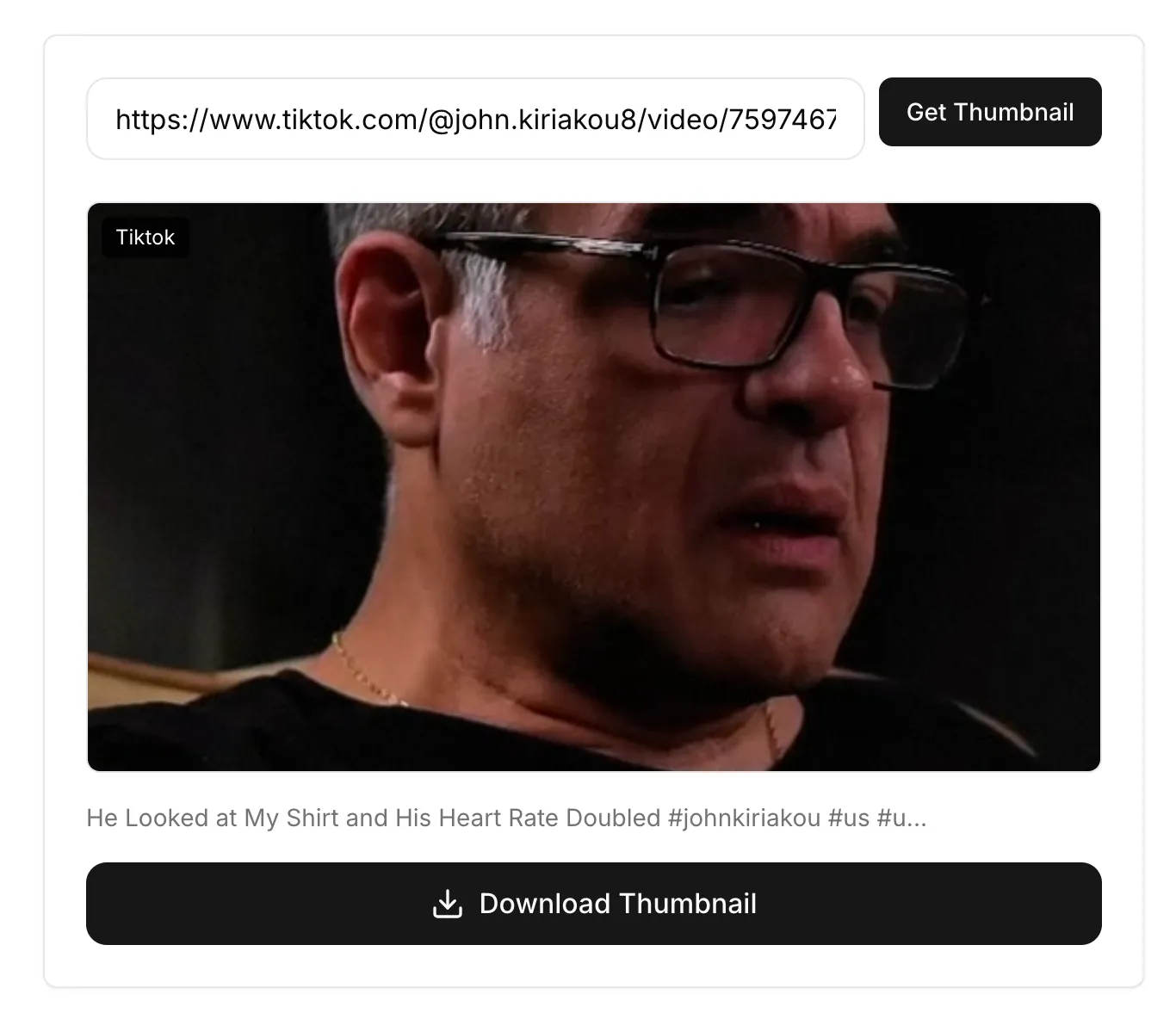
You now have the clean, original thumbnail saved directly to your device, with no watermarks or distracting UI elements.
Why Screenshots Don’t Work (And What to Do Instead)
You might be tempted to just pause the video and take a screenshot. This is a bad idea for several reasons:
- Low Resolution: A screenshot is limited to your screen’s resolution, which is often much lower than the original thumbnail’s quality. This results in a blurry, unprofessional image.
- Cluttered with UI: Screenshots capture everything on the screen—the play button, username, captions, and like/comment icons. Removing these requires tedious editing.
- Incorrect Dimensions: You’ll have to manually crop the image to remove your phone’s status bar and other irrelevant parts, which can be time-consuming.
The Solution: A dedicated TikTok thumbnail grabber like ours extracts the pristine image file directly from TikTok’s servers. This ensures you get the highest possible quality without any on-screen clutter.
3 Smart Ways to Use Downloaded TikTok Thumbnails
- Create Custom YouTube Thumbnails: When you upload a TikTok compilation or a single short to YouTube, use the downloaded HD cover as the base for your YouTube thumbnail. Add text or branding to optimize it for the new platform.
- Improve Social Sharing: When you share a link on platforms like Twitter or in a newsletter, they often pull a low-quality, poorly cropped preview. Manually upload the downloaded thumbnail to ensure your post looks professional and gets more clicks.
- Analyze Competitor Strategy: Download the thumbnails from the top-performing videos in your niche. Study them to identify trends in design, color, and style that you can adapt for your own content.
Frequently Asked Questions (FAQ)
Is it legal to download someone else’s TikTok thumbnail? While it’s technically possible, be mindful of copyright. Using someone else’s image for your own commercial content without permission can lead to copyright claims. We recommend using downloaded thumbnails for personal reference, inspiration, or for repurposing your own content.
Does this tool work on mobile and desktop? Yes! Our tool is web-based and works on any device with a browser, including iPhone, Android, Windows, and Mac.
Can I download thumbnails from private videos? No. Our tool can only access content that is publicly available on TikTok.
What is the highest resolution I can get? The tool extracts the highest resolution that TikTok makes available, which is typically in HD. The exact dimensions can vary depending on the original upload.
Is this tool really free? Yes, the MediaTools Thumbnail Grabber is 100% free and unlimited. There are no hidden fees or sign-ups required.
Start Downloading Thumbnails Today
Stop settling for blurry, cluttered screenshots. Elevate your content strategy by using the original, high-quality thumbnail for any TikTok video.
Try Our Free TikTok Thumbnail Downloader Now
Related MediaTools: