How to Download TikTok Videos Without Watermark (Free & Fast)
Learn how to save any TikTok video without the watermark in HD quality. This simple, free method works on iPhone, Android, and PC/Mac—no app required.

When you download a video directly from the TikTok app, it comes with a distracting watermark that bounces around the screen. This can be a problem if you want to repurpose your own content for other platforms like Instagram Reels or YouTube Shorts, or simply save a clean copy for offline viewing.
Fortunately, removing the watermark is easy. This guide will show you the best method to download any public TikTok video in high definition without the watermark, using a free online tool that works on any device.
Table of Contents
- Why Download TikToks Without a Watermark?
- The Best Way to Download TikToks Without a Watermark
- How-To Guide for Any Device (iPhone, Android, PC)
- Frequently Asked Questions (FAQ)
Why Download TikToks Without a Watermark?
There are three main reasons to save a clean version of a TikTok video:
- Reposting Your Content: Social media platforms like Instagram and YouTube can deprioritize or penalize content that has a watermark from a competing app. Saving a clean version allows you to share your work across all your channels seamlessly.
- Offline Viewing: Keep a permanent, high-quality copy of your favorite videos on your device to watch anytime, even without an internet connection.
- Creative Projects: Use watermark-free clips for edits, compilations, or reaction videos without the distracting logo getting in the way.
The Best Way to Download TikToks Without a Watermark
While there are many apps and software that claim to remove the watermark, the safest and most reliable method is to use a free web-based downloader.
Benefits of this method:
- No Installation Needed: It works directly in your browser (like Chrome, Safari, or Firefox).
- Completely Free: There are no hidden costs or subscriptions.
- Universal Compatibility: It works on iPhone, Android, PC, and Mac.
- Safe and Secure: You don’t need to install sketchy third-party apps that could compromise your data.
How-To Guide for Any Device (iPhone, Android, PC)
The process involves just two simple steps: copying the video link and pasting it into an online downloader.
Step 1: Copy the TikTok Video Link
First, you need to get the URL of the video you want to download.
- Open the TikTok app or website.
- Navigate to the video.
- Tap the Share button (the arrow icon).
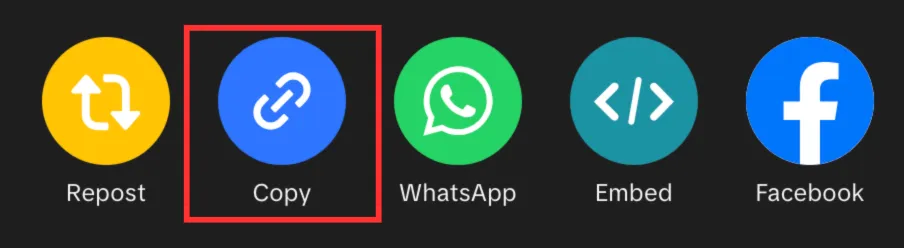
- Select Copy Link.
Step 2: Paste the Link and Download
Next, use the online tool to save the video.
- Open your web browser and go to a downloader like MediaTools’ TikTok Downloader.
- Paste the link you just copied into the input box on the website.
- Click the Get Video button.
- The tool will process the link and generate a clean, watermark-free version of the video. Click Download HD Video to save the MP4 file to your device.
On Android and PC/Mac, the video will save directly to your “Downloads” folder or gallery.
On iPhone, you’ll need one extra step: after downloading, tap the “Downloads” icon in your Safari browser, open the video, tap the “Share” icon, and select “Save Video” to move it to your Photos app. For a more detailed guide, check our post on how to download TikToks on iPhone.
Frequently Asked Questions (FAQ)
1. Is it legal to download TikTok videos? Downloading videos for personal use is generally acceptable. However, you must respect copyright laws. Never re-upload someone else’s content and claim it as your own without explicit permission. For more details, refer to TikTok’s Terms of Service.
2. Can I download videos from private accounts? No. Reputable downloader tools respect user privacy and cannot access or download videos from private accounts. The video must be public to be downloaded.
3. What is the best TikTok downloader without a watermark? The best tools are web-based, free, fast, and don’t require you to install any software. A tool like MediaTools meets all these criteria and provides high-definition downloads safely.
4. Does this method reduce the video quality? No, this method downloads the video in its original quality, often providing an HD (720p or 1080p) MP4 file, which is typically higher quality than what you get from TikTok’s native “Save Video” button.
Ready to get started? Try our free TikTok Downloader to save your first watermark-free video today.